Steve Jobs Introduces the Macintosh
Computer History Museum1 HN recommender · recommended in 1 month, 2016–2024
talk · general · evergreen · 2016–2024 on HN
Recording of the January 1984 Boston Computer Society meeting where Steve Jobs unveiled the Macintosh. It is followed by a panel Q&A with core Mac team members such as Andy Hertzfeld, Bill Atkinson and Steve Capps.
HN points to it as the primary source for the original Mac demo and the personal post-show Q&A with the team.
Up next
 14 mo on HN
Micro Men - 720p (2009)
gimpymoo
15 HN recommender · 2015–2026
 12 mo on HN
Project Code Rush - The Beginnings of Netscape / Mozilla Documentary
The Documentary Network
13 HN recommender · 2015–2026
 10 mo on HN
Ed Catmull, Pixar: Keep Your Crises Small
Stanford Graduate School of Business
9 HN recommender · 2010–2017
 9 mo on HN
LISA11 - Fork Yeah! The Rise and Development of illumos
USENIX
9 HN recommender · 2012–2026
 6 mo on HN
Secret History of Silicon Valley
Computer History Museum
6 HN recommender · 2010–2026
 4 mo on HN
The Spectacular Failure of the Star Wars Hotel
Jenny Nicholson
4 HN recommender · 2024–2026
 5 mo on HN
The Secret History of Silicon Valley
Google TechTalks
5 HN recommender · 2008–2016
 5 mo on HN
Netscape Mozilla Documentary 1998 - 2000 ProJect Code Rush - creative common licence
znoopy2k
5 HN recommender · 2011–2013
 4 mo on HN
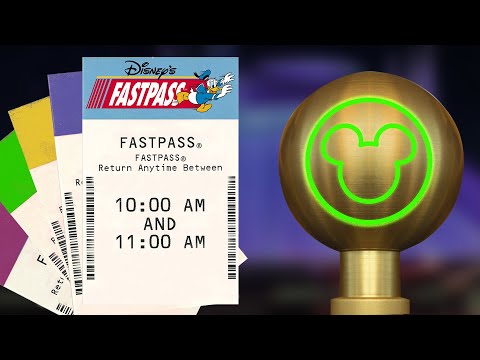
Disney's FastPass: A Complicated History
Defunctland
7 HN recommender · 2021–2024
 4 mo on HN
Complete Apple WWDC | Steve Jobs talk and answer developers questions | 1997
TheAppleFanBoy - Apple & Computer Archives
4 HN recommender · 2018–2025
 4 mo on HN
iPhone 1 - Steve Jobs MacWorld keynote in 2007 - Full Presentation, 80 mins
Protectstar Inc.
4 HN recommender · 2020–2025
 5 mo on HN
Facebook Fraud
Veritasium
7 HN recommender · 2014–2025
6 comments from Hacker News
The post-show is my favorite part[0]. It's just so personal. Almost feels like a meetup! [0] 1:06:38 ( ▶ this video )
> Back then, were executives writing such grand proclamations about the future ? Yes. And the good ones (like SamA and SJ) deliver. ▶ this video
> 4. Minimize everything else I would say there shouldn’t be anything else. Create a local ‘demo’ account, if needed. That also avoids getting any embarrassing message pop-ups. Also, if your software isn’t that stable and you can get away with it, switch machines all the time. If your demo requires multiple actions foo and bar , demo foo , then switch to a machine where foo was done beforehand to demo how bar works. Look at some of Steve Jobs’ demos and try figuring out how many machines they used to demo some of the prerelease software. Also, don’t be afraid to cheat. For example, when seeing the copy-paste demo in ▶ this video , I immediately thought “that copy of MacWrite is rigged to always paste that fish”
I didn't notice anything one wouldn't expect, given how different first-hand accounts tend to be. Kawasaki is a marketing guy so his knowledge is weaker than an engineer's in many areas; stronger in a few others. For anyone interested, here's the demo in question: ▶ this video
It was definitely present in MacOS classic can’t tell exactly when contextual menu was added. But on top of that there was actually a third method, select the disk (highlight) and press cmd-E. Which now now that I think of it is just a shortcut for the fourth one, select the disk then select "Eject" in the file menu. Actually this last method must be the mother of them all, the drag to trash was also maybe one of the first "discoverable shortcut". It’s just that "drag to the trashcan" gimmick was present since first Macintosh introduction keynote in 1984 and is still usable as of today so no surprise it’s the first answer on every Q/A. I can’t yet skim through the footage but it might even appear in the 1984 LIVE DEMO (more emphasis needed) of the first Macintosh : ▶ this video
I'll answer in reverse order: > Also need to consider how long it will take me to download back those pic once they decide to shutdown the "free" service. This is an incredibly good point, both in terms of bandwidth considerations (particularly their ratelimiting) and in terms of products randomly disappearing with limited takeout windows. FWIW, link UID> will net you takeout archives of your image albums. Incidentally this works with any Google account that doesn't have public photo access turned off, and is rather fun to play with (as is the site: search operator :D) -- > can google backend really handle that, if so for how long? YouTube used to officially report that 300 hours are uploaded per minute, back in 2014. link says we're likely at 700hr/min now. OK. (Been wanting to do this math for a while, actually...) Let's see. This is all back-of-the-envelope and I wouldn't mind some more concrete numbers to work with! YT reencodes all videos into several formats. I'm looking at ▶ this video , which is 1:20:58 long. It was uploaded fairly recently so has the full complement of encodings. I see: - 5 DASH audio bitrates: 51k (27.53MB), 66k (31.93MB), and 120k (58.02MB) for clients that can decode OPUS, 89k Vorbis (46.67MB), and 132k M4A (73.16MB) - 6 DASH video sizes in both WebM/MP4 (so 12 total formats): 256x144 (43.09MB / 63.54MB); 426x240 (39.79MB / 140.34MB); 640x360 (71.80MB / 122.65MB); 854x480 (118.37MB / 266.00MB); 1280x720 (234.63MB / 548.81MB); and 1920x1080 (463.04M